Do you know how to apply kiosk mode in Internet Explorer?
Definiton : When kiosk mode applied, title bar, menus, toolbars and status bar for Internet Explorer will not appear in the screen and Internet Explorer will be running in Full Screen mode.
This is cool because, the whole pc in front of you will show only the website that you applied the kiosk mode to...... Steps: -
 Steps: -
1) Click on Start
2) Click on Run
3)Type
iexplore -k url in the open box
Note: "-k" means kiosk mode and "url" means web address that you want it to be applied in kiosk mode, e.g. http://www.yahoo.com/. (as shown above.)
4)Press Enter.
 5)Wah!...wonderful...the screen above shown in the whole screen of your pc or notebook....
 What happen if you just type in iexplore -k but without the web address?
Answer: It will show your homepage. Try and see...
Some of the keyboard shortcuts you may like to learn here:-
a) CTRL+A = Select all
b) CTRL+B = Organize favorites
c) CTRL+C = Copy
d) CTRL+F = Find on current page
e) ALT+F4/CTRL+W = Close
f) ALT+LEFT ARROW = Back
g) ALT+RIGHT ARROW = Forward
f) ALT+LEFT ARROW = Back
g) ALT+RIGHT ARROW = Forward
h) ESC = Stop
I) F5 = Refresh
I) F5 = Refresh
J) CTRL+H = View History folder
k) CTRL+L / CTRL+O= Open Location dialog box
l) CTRL+N = New window (opens in non-Kiosk mode)
m) CTRL+P = Print
n) CTRL+R = Refresh
o) CTRL+S = Save
p) CTRL+V = Paste
q) CTRL+X = Cut
P/S: Enjoy and kindly post a comment here...tq:D

 After entering to the website stated above, you will see the screen as above.

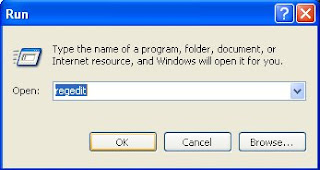 First you have to open the "run" command and type in "regedit" to open the registry editor.
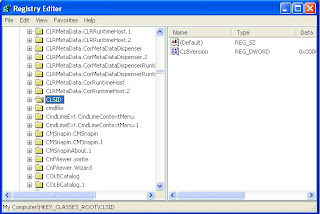 Later, find the "CLSID" and click on it.
 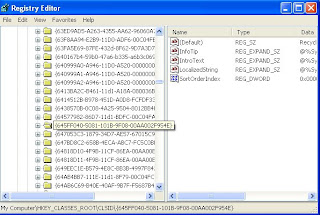 Next, find the {645FF040-5081-101B-9F08-00AA002F954E}
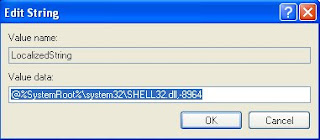 On the right pane, locate the registry key of LocalizedString and press enter. The Screen above will be shown.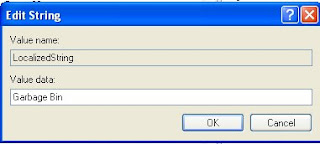

 Picture 2 : The installation process

 Picture 1 : Original Photo
 Picture 1 : The above photo is original picture took at Penang


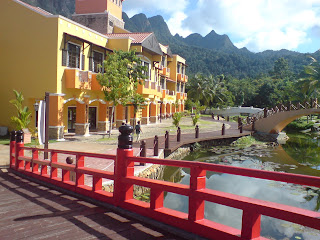 Picture 1: Photo above is an original picture
 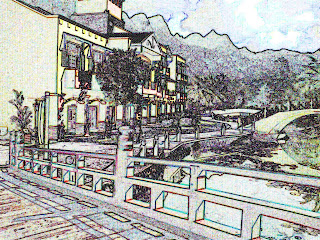 Step 1: Change the shadow highlight
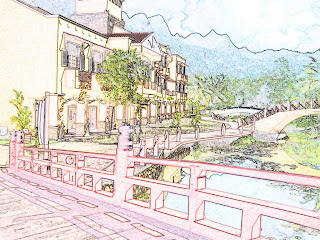 Step 3 : The original colour is retored
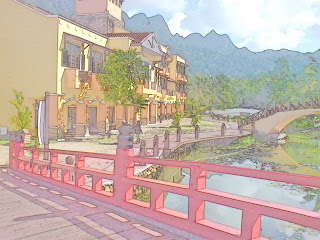 Final : A photo have becomes paintings after the use of Adobe Photoshop CS.

